Shipping
FREE Included with every WebForger site
Three ways to get an order out the door without anyone retyping it. Starshipit works the day you hand us the keys, which puts most New Zealand and Australian couriers within reach straight away. If your carrier has an API of its own, our team wires your store to it directly. And if a third party warehouse does your picking, we automate the whole handover, orders in, consignments back, customer told. The first one is a switch. The other two we build for you as part of your site.

Most of this app is the part where nothing happens.
The work runs between your dashboard and whatever is printing your labels, so there is no interface to learn. Below is what the two ends look like on the Starshipit connection. The order shown is placeholder data, not a real customer.
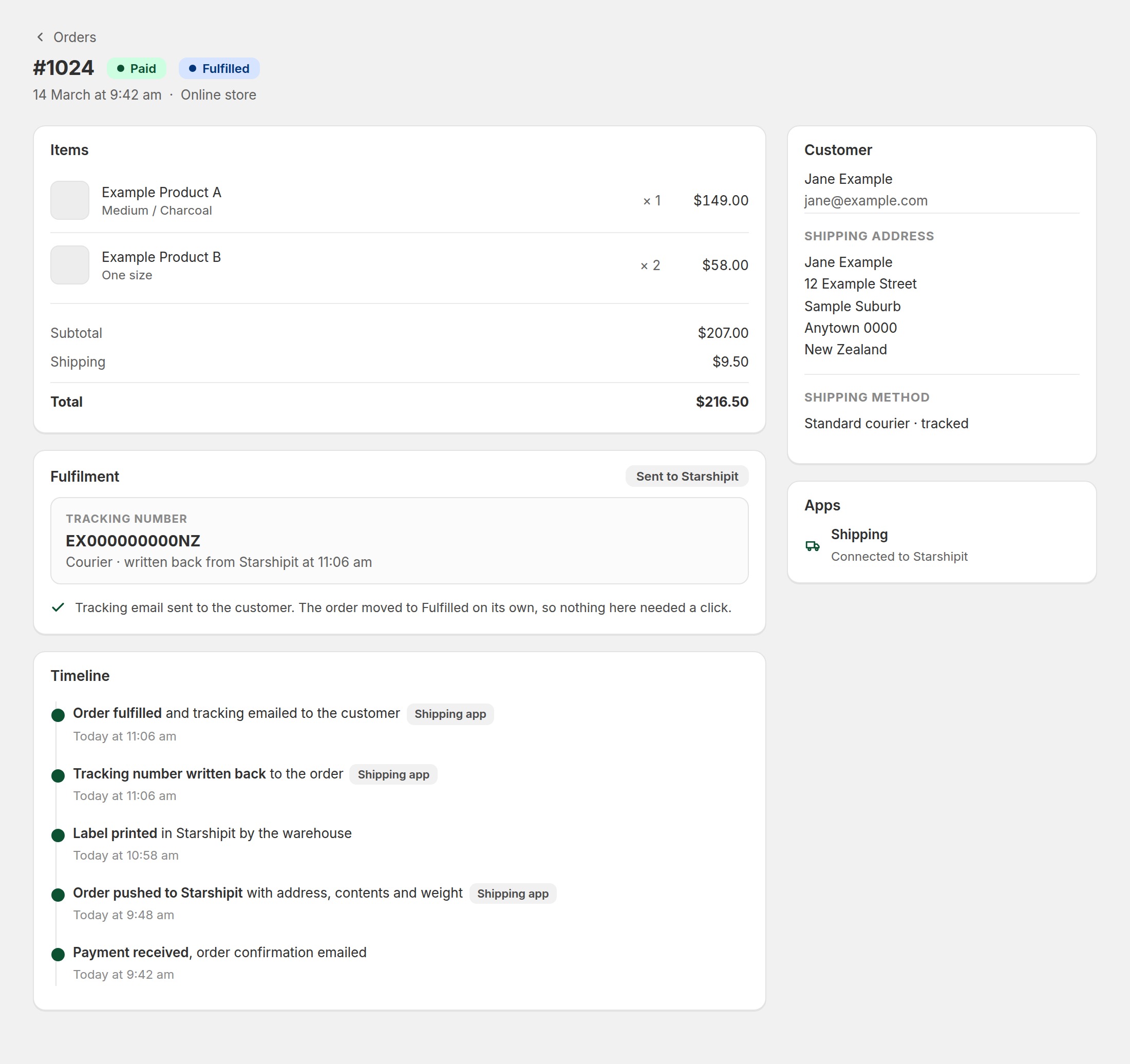
Interface preview. The order was pushed, the carrier answered with a tracking number, the order moved itself to fulfilled and the customer was emailed. Every line marked with the app happened without anyone opening this page.
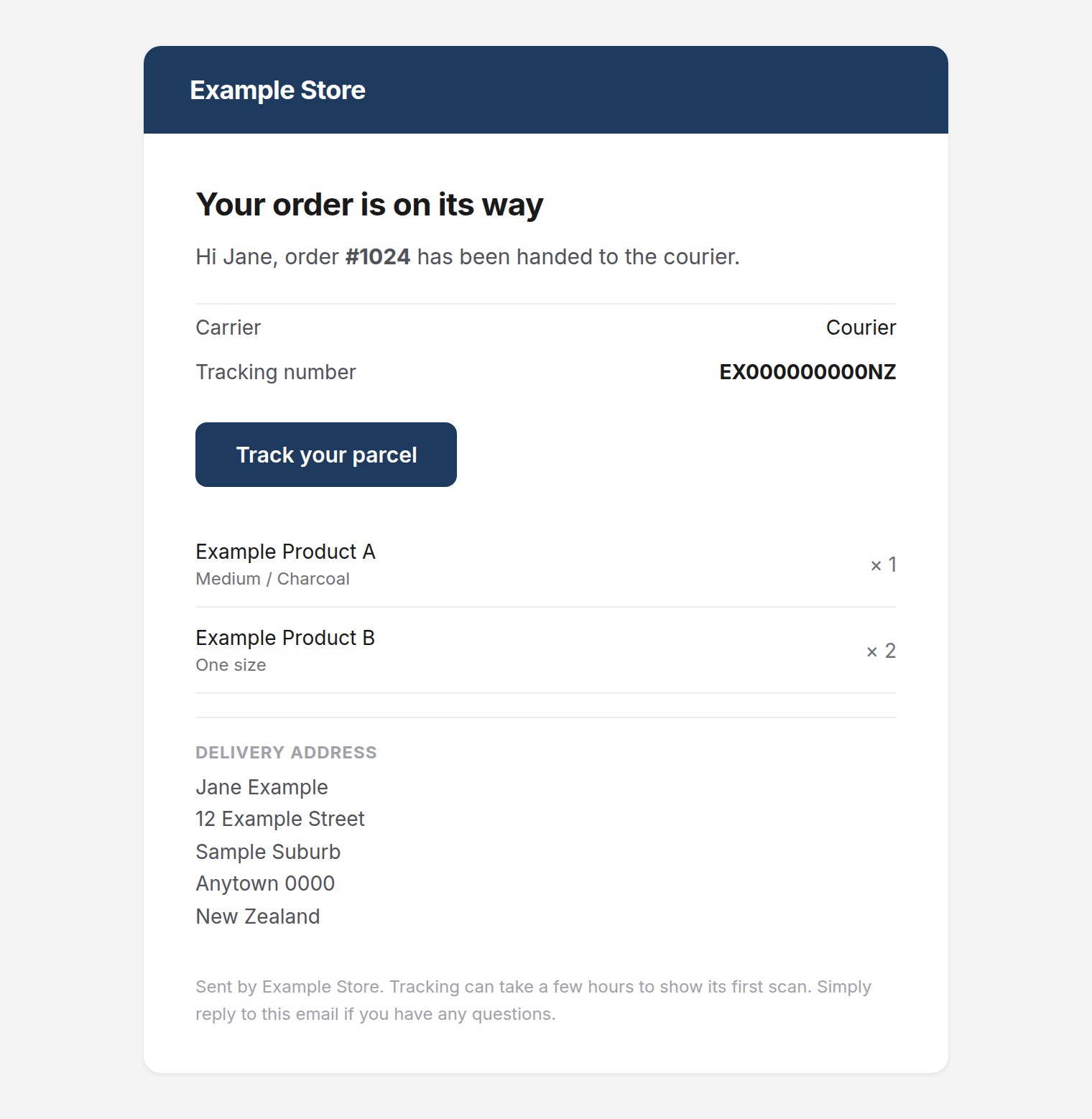
Interface preview. The tracking email goes out in your store's name and colours, not ours and not the courier's, and it only goes out once there is a real consignment number to put in it.
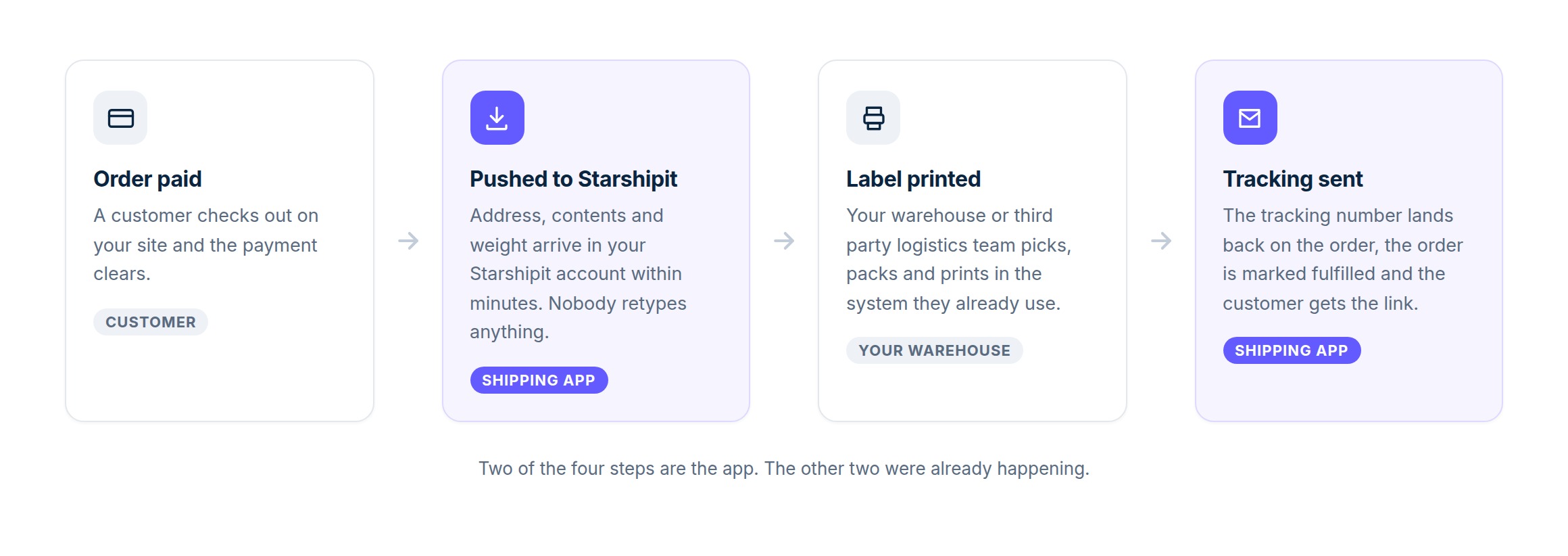
The whole loop. Two of the four steps belong to the app, and the two that do not were already part of your day. The shape stays the same whether the middle is Starshipit, a carrier API or a warehouse.
Copying addresses is not a job, it is a tax.
A store that ships thirty parcels a week has somebody, usually the owner, moving between an order list and a courier portal, retyping a street address that was typed correctly once already. It takes a couple of minutes per parcel, it is the single most error prone thing in the whole operation, and a typo in it costs a redelivery fee plus an apology. Nobody ever budgeted for this. It just accumulated.
Starshipit already solves the half of the problem that involves couriers, rates and labels, and it is the fastest route because it aggregates most of the carriers a New Zealand or Australian store would use. What it cannot do on its own is know that an order was paid on your website. This app is that link, and it runs in production today on a store whose picking is done by a third party warehouse.
Not every operation fits through that one door, which is why the app is the floor rather than the ceiling. A carrier with its own API can be connected to your store directly, and a warehouse running its own system can be automated on both sides. Those are builds rather than switches, and our team does them for you as part of your site. Writing the integration nobody sells off the shelf is the job we are here to do.
- Your warehouse works in the system it already knows. A third party logistics provider will not log into your website to find orders, and should not have to. Orders arrive where they already work, and what they do next comes back to you.
- The tracking number comes back on its own. This is the direction most integrations forget. Without it your order list still says unfulfilled a day after the parcel left, and the only person who knows the truth is whoever printed the label.
- The customer is told before they think to ask. A tracking email that arrives the same morning removes the "has my order shipped" message, which is the single most common thing a small store answers by hand.
- Your courier relationships are untouched. The consignment is created on your own accounts and your own carrier contracts, whichever route it takes. We never sit between you and a courier, we never resell freight, and there is no margin for us anywhere in this.
- It refuses to send the same parcel twice. Every push is recorded before it is attempted, so a retry, a timeout or a worker that dies mid request leaves a marker rather than a second consignment your customer pays for.
The couriers already on the other side of the app.
Everything below is reachable through the Starshipit connection that ships with the app, on your own account and your own rates. Starshipit publishes the full list and it changes from time to time, so treat this as the shape of it rather than a contract. Anything not on it, we look at connecting directly.
New Zealand, via Starshipit
Australia, via Starshipit
International, via Starshipit
Anything else, by direct integration
A freight company, a regional courier or a warehouse that is not on that list is not a dead end. If it publishes an API, our team can connect your store to it directly and skip the aggregator entirely. That is a build rather than a setting, so it is scoped with you first, and it is not something you will find sitting in a settings screen waiting to be switched on.
One switch, and three things we build around it.
Starshipit, out of the box
This is the part that is already written and already running on a live store. A few minutes after payment clears, the order appears in your own Starshipit account with the delivery address, the contact details, every line item and the weights carried from your product records. You give us your API credentials once, we switch it on, and nothing else about your day changes. Orders imported from an old platform are left alone, because those parcels shipped years ago and nobody wants them turning up in a picking queue.
Major carriers by API
If the courier you actually use has its own API, we can talk to it straight from your store instead of going through an aggregator, which matters when you have a negotiated account, a service the aggregator does not expose, or a freight type that does not fit a parcel label. Our team writes that integration for you as part of your site rather than handing you a settings screen. Tell us the carrier and we will tell you honestly whether their API can do it.
Third party warehouse automation
This is the one we are best at, and the reason the app exists at all. When somebody else holds your stock, the handover is the whole relationship: orders have to reach their system the moment they are paid, what they pick and dispatch has to come back to yours, and the customer has to hear about it from you rather than from a warehouse nobody told them about. We build that loop in both directions so neither side is ever retyping the other side's screen.
Tracking and customer emails
Whichever route the parcel took, the carrier and the consignment number are written back onto the order and it moves from paid to fulfilled on its own. That transition is what sends the shipping email, in your store's branding, with a link to the courier's own tracking page. An order that ships in several parcels keeps all of the numbers rather than the first one, and a fulfilment with no tracking number sends nothing at all, which is deliberate: an email that says your parcel has shipped and then cannot say where it is generates more questions than silence.
When somebody else picks your orders.
A warehouse will not log into your website, and you should not be emailing them a spreadsheet at five o'clock. Here is what we automate between the two of you.
Orders pushed the moment they are paid
Paid orders leave your store for the warehouse system without a person in the middle, with the address, the contact details, the line items, the weights and whatever reference the warehouse needs to find them again. Orders that are not ready to ship stay where they are.
Consignments and stock written back
What the warehouse dispatched comes back to you: the carrier, the consignment numbers, the dispatch date, and where their system exposes it, what is left on the shelf. Your order list and your stock figures stop being a guess about what happened yesterday.
The customer hears it from you
The shipping notification goes out under your brand, from your domain, on the warehouse's dispatch event. Your customer never learns the name of your fulfilment partner, and never gets two conflicting emails about one parcel.
None of this is theoretical. Custom fulfilment logic is something we already ship as dedicated code for individual stores, including a purpose built shipping worker written for one client whose freight rules no off the shelf app could express. If your warehouse has an API or can exchange files on a schedule, that is enough to start the conversation.
Three steps, and you only do the first one.
You tell us who ships it
If that is Starshipit, copy the API credentials out of your own account and send them to us. If it is a carrier we would connect directly, or a warehouse with its own system, tell us who they are and point us at whoever there knows the technical side.
We connect it
Starshipit credentials are stored encrypted against your site and the app is switched on the same day. A direct carrier or a warehouse is a build, so we scope it, write it and test it against their sandbox before a real order goes anywhere near it.
The order closes itself
From then on, consignments appear where they are picked, tracking comes back, the order goes to fulfilled and the customer gets their link. You find out it happened by noticing that your order list is already up to date when you open it.
What people ask before turning it on.
Do we need our own Starshipit account?
Which couriers does this work with?
My courier or 3PL is not on the list. Now what?
Is a custom integration a separate bill?
What happens if an address is wrong?
Could it ever send the same parcel twice?
Can we still fulfil an order by hand?
Two more apps for stores that ship things.
Every app on the platform is included on every site at no monthly fee.
Product Reviews
FREE
Reviews from the customers who actually bought, with photos, on your own domain. The request email goes out after delivery, which is the same delivery event this app already knows about.
Subscriptions
FREE
Subscribe and save on the products people buy again, billed automatically on each renewal. Every renewal is an ordinary paid order, so a subscription box reaches your shipping setup exactly like a one off sale.
Stop retyping addresses that were already typed correctly.
WebForger is invite only, so the first step is a short application rather than a signup form. Tell us what you sell, roughly how many parcels a week leave your door, who carries them and whether a third party warehouse is involved. If we are not the right fit we will say so, and you will still leave with a straight answer about what your carrier or warehouse can be connected to.